
Ranking on Google Maps is no longer optional for local businesses. When customers search for nearby services, Google Maps listings appear before websites, ads, and even organic search results. This is where Google Business Profile (GBP) plays a critical role.
A properly optimized Google Business Profile helps your business appear in the Google Local Pack (Top 3 Map Results), attract more calls, and drive foot traffic without spending money on ads.
In this article, we’ll explain how Google Business Profile helps businesses rank on Google Maps, the ranking factors involved, and how you can use GBP strategically for long-term local visibility.
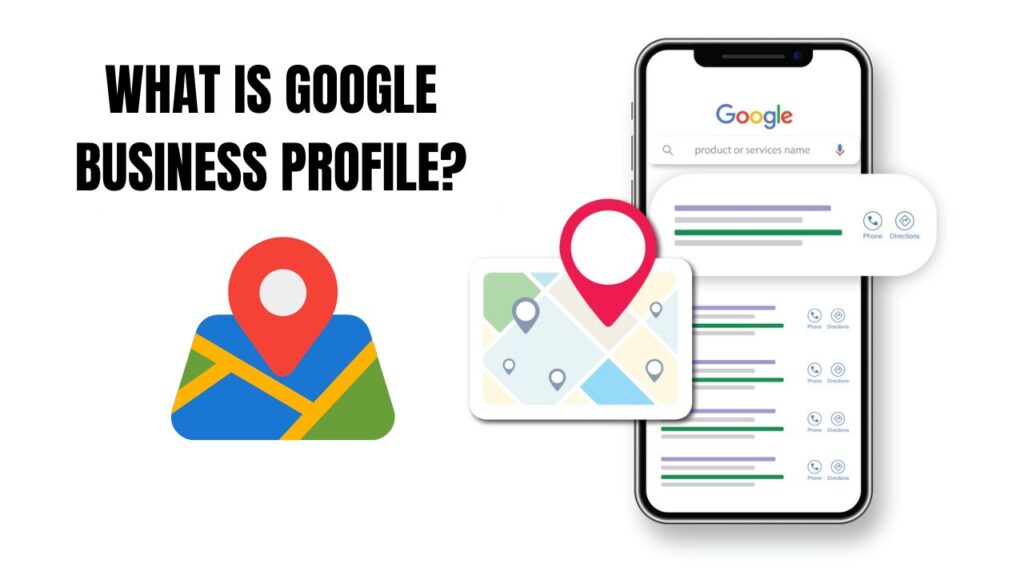
What Is Google Business Profile?
Google Business Profile is a free business listing tool provided by Google that allows businesses to manage how they appear on Google Search and Google Maps.
Through GBP, you can:
- Display your business name, address, and phone number
- Show operating hours and service areas
- Add photos, videos, and services
- Collect and respond to customer reviews
- Publish updates and offers
Google uses this information to decide where and when your business should appear on Google Maps.
Official reference:
👉 Google Business Profile overview: https://www.google.com/business
Why Google Maps Rankings Matter for Local Businesses
When someone searches for a service with local intent—such as “SEO agency near me” or “hospital referral office in Dhaka”—Google prioritizes map results.
According to Google:
- Over 75% of local searches result in a visit or contact within 24 hours
- Mobile users rely heavily on map listings for directions and calls
If your business is not ranking on Google Maps, you’re losing ready-to-convert customers.
How Google Business Profile Impacts Google Maps Rankings
Google Maps rankings are influenced by three primary factors:
- Relevance
- Distance
- Prominence
Google Business Profile directly affects all three.
Official Google explanation:
👉 https://support.google.com/business/answer/7091
1. Improves Business Relevance for Search Queries
Relevance measures how well your business matches what someone is searching for.
Your Google Business Profile improves relevance by:
- Selecting the correct primary and secondary categories
- Adding detailed services and products
- Writing a keyword-focused business description
- Using accurate attributes (online service, wheelchair access, etc.)
When Google understands what your business offers, it becomes easier to match your listing with relevant searches.
Expert insight:
👉 Moz – Local SEO Ranking Factors
https://moz.com/learn/seo/local-ranking-factors
2. Strengthens Local Authority and Trust (Prominence)
Prominence refers to how well-known and trustworthy your business appears online.
Google Business Profile helps build prominence through:
- Customer reviews and ratings
- Review response activity
- Photo uploads and updates
- Consistent business information
Businesses with regular engagement and fresh content often outrank inactive competitors, even if those competitors have older listings.
Research reference:
👉 BrightLocal – Local SEO Review Impact
https://www.brightlocal.com/research/local-consumer-review-survey
3. Boosts Visibility in the Google Local Pack
The Google Local Pack is the top section showing three map listings under local searches.
A well-optimized Google Business Profile:
- Increases chances of appearing in the top 3
- Improves click-through rate (CTR)
- Generates direct phone calls and direction requests
Google pulls Local Pack data directly from Google Business Profiles, not websites alone.
4. Encourages Customer Engagement Signals
Google tracks how users interact with your listing.
Strong engagement signals include:
- Clicks on “Call” or “Website”
- Direction requests
- Photo views
- Message interactions
Active profiles signal to Google that users find your business useful, which supports better map rankings over time.
5. Reviews Play a Direct Role in Google Maps Ranking
Reviews are one of the most powerful ranking and conversion factors.
Google Business Profile helps businesses:
- Collect authentic customer reviews
- Display star ratings publicly
- Respond to feedback professionally
Listings with more reviews, better ratings, and consistent responses tend to rank higher and attract more trust.
Google review guidelines:
👉 https://support.google.com/maps/answer/6230175
6. Keeps Business Information Accurate and Updated
Outdated or inconsistent information can hurt your visibility.
GBP allows you to:
- Update hours instantly
- Add holiday schedules
- Edit services and contact details
- Prevent customer confusion
Accurate listings improve user experience and reduce negative signals like missed calls or wrong directions.
7. Supports Local SEO Without a Website
Even businesses without a website can rank on Google Maps using Google Business Profile alone.
This makes GBP especially valuable for:
- Local service providers
- Clinics and hospitals
- Travel agencies
- Consultants and small offices
Google Maps rankings rely more on profile quality and engagement than website strength.
Best Practices to Rank Higher on Google Maps Using GBP
To maximize results:
- Choose the most accurate primary category
- Add all relevant services with descriptions
- Upload real photos regularly
- Ask customers for honest reviews
- Respond to every review
- Post weekly updates or offers
- Keep NAP details consistent everywhere
Consistency and activity matter more than shortcuts.
Final Thoughts
Google Business Profile is one of the most powerful tools for ranking on Google Maps. It directly influences relevance, trust and engagement three elements Google uses to decide which businesses deserve top visibility.
If your goal is to dominate local search, optimizing and maintaining your Google Business Profile is not optional it’s essential. When used correctly, GBP can generate leads, calls, and walk-ins without paid advertising.

Hello, I am Rahat Mia. Quickly Fast, Responsible, Certified and Professional SEO expert. Working as an SEO expert since 2021 and completed over 30+ SEO projects at various marketplaces.